光晕
派生完整项目,了解更多细节。
这个简单效果很适合为场景增添氛围。为光源或自发光纹理添加辉光,可以营造尘埃或雾气弥漫的气氛,也能模拟直视强光的感觉。
实现方式是:创建带平面基本体的实体,为其设置发光光晕材质,并挂载脚本,使平面始终朝向相机,即公告板效果。我们还在光晕背离相机时将其淡出,以模拟有方向性的光源。
资源
纹理
首先需要光晕纹理。本例仅使用在 Photoshop 等绘图软件中制作的简单模糊光斑。
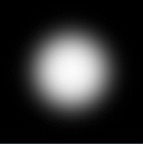
这张纹理构成辉光的基础。
材质
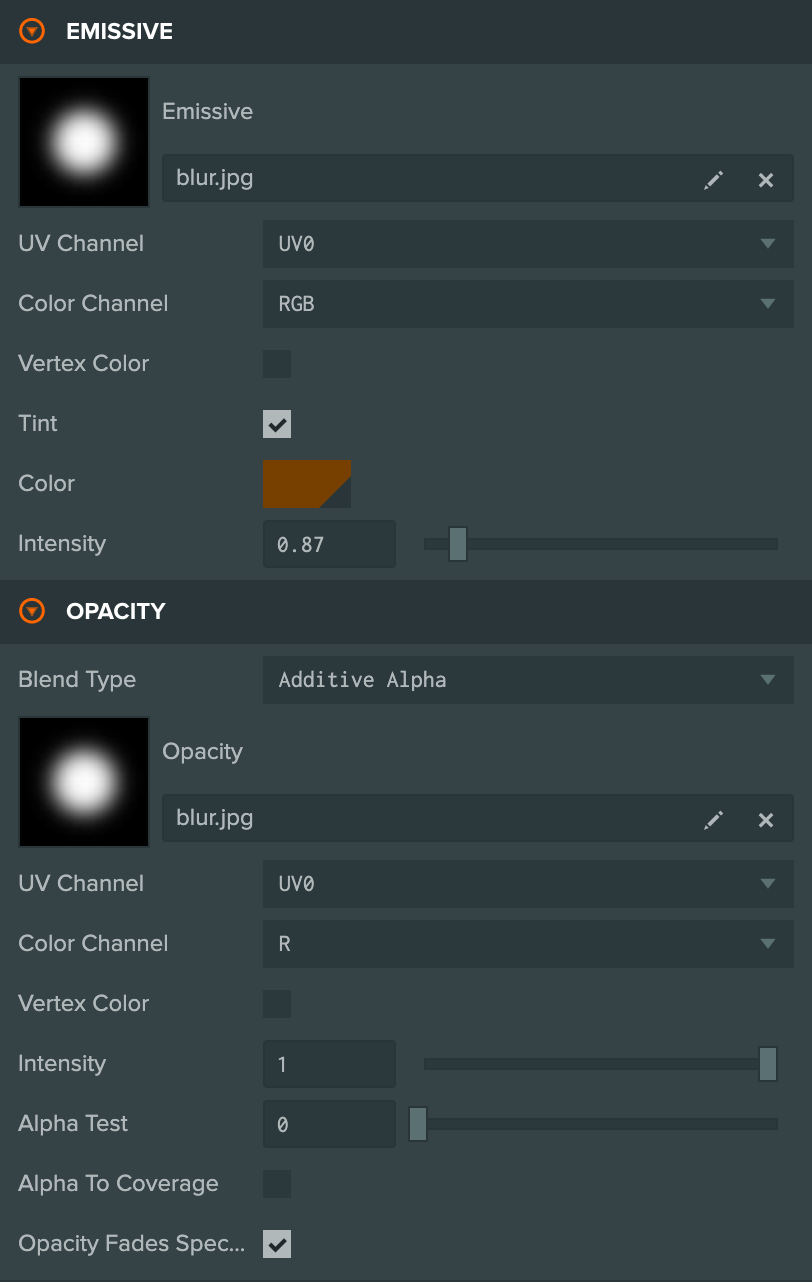
光晕材质在自发光槽位使用光斑纹理,通过 tint(着色)属性设置光晕颜色。同时在 Opacity(不透明度)槽位启用混合,并使用相同光斑纹理,将 Color Channel(颜色通道)设为 R。
将 Blend Type(混合类型)设为 Additive Alpha。其中 Additive 表示将材质颜色加到背景颜色上,使光晕在背景上发亮;Alpha 表示使用 opacity 值控制材质透明程度。
实体

光晕的实体配置也很简单:父实体挂载光晕脚本,子实体挂载平面基本体。这样可以简化代码,使用 entity.lookAt 设置辉光朝向。由于平面基本体默认朝上,需要旋转子实体,使平面正确朝向相机。
代码
本项目代码有两个值得关注的特点。
首先,每帧更新光晕实体,使其朝向相机。
// Set the glow to always face the camera
this.entity.lookAt(this.camera.getPosition());
其次,如果通过公开的脚本属性将光晕标记为 unidirectional,就会调整不透明度,使光晕背离相机时不可见。具体来说,光晕越偏离相机方向,就越透明。
// If enabled, unidirectional means the glow fades off as it turns away from the camera
if (this.unidirectional) {
    // Get the dot product of the parent direction and the camera direction
    var dot = -1 * tmp.dot(this.camera.forward);
    // If the dot product is less that 0 the glow is facing away from the camera
    if (dot < 0) {
        dot = 0;
    }

    // Override the opacity value on the planes mesh instance to fade to zero as the glow turns away from the camera
    meshes[0].setParameter("material_opacity", dot);
} else {
    // Need to set a default value because of this issue for now: https://github.com/playcanvas/engine/issues/453
    meshes[0].setParameter("material_opacity", 1);
}
我们使用 pc.MeshInstance 的 setParameter 方法,为片元着色器设置数值。原教程将这种用法描述为引擎中尚未文档化的特性,因为它要求准确了解着色器 uniform 变量名称,而变量和 API 将来可能变化。不过它非常实用,可以仅为某个网格实例覆盖着色器中的单个值。本例尤其需要这一点:所有辉光共享同一材质,但每个实例需要不同的不透明度。
完整代码如下:
- ESM
- 传统脚本
import { Script, Vec3, Entity } from 'playcanvas';

export class Halo extends Script {
    static scriptName = "halo";

    /**
     * @attribute
     * @title Camera
     * @type {Entity}
     */
    camera = null;

    /**
     * @attribute
     * @title Unidirectional
     * @type {boolean}
     */
    unidirectional = false;

    static tmp = new Vec3();

    // initialize code called once per entity
    initialize() {
        // Get the Entity with the plane model on it
        this.plane = this.entity.children[0];

        // Get the parent entity which is used for direction
        this.parent = this.entity.parent;
    }

    // update code called every frame
    update(dt) {
        let tmp = Halo.tmp;

        // Store the vector the parent is facing (note forwards is negative z)
        tmp.copy(this.parent.forward).scale(-1);

        let meshes = this.plane.model.meshInstances;

        if (this.camera) {
            // Set the glow to always face the camera
            this.entity.lookAt(this.camera.getPosition(), Vec3.UP);

            // If enabled, unidirectional means the glow fades off as it turns away from the camera
            if (this.unidirectional) {
                // Get the dot product of the parent direction and the camera direction
                let dot = -1 * tmp.dot(this.camera.forward);
                // If the dot product is less that 0 the glow is facing away from the camera
                if (dot < 0) {
                    dot = 0;
                }

                // Override the opacity value on the planes mesh instance to fade to zero as the glow turns away from the camera
                meshes[0].setParameter("material_opacity", dot);
            } else {
                // Need to set a default value because of this issue for now: https://github.com/playcanvas/engine/issues/453
                meshes[0].setParameter("material_opacity", 1);
            }
        }
    }
}
var Halo = pc.createScript('halo');

Halo.attributes.add('camera', {type: 'entity'});
Halo.attributes.add('unidirectional', {type: 'boolean', default: false});

Halo.tmp = new pc.Vec3();

// initialize code called once per entity
Halo.prototype.initialize = function() {
    // Get the Entity with the plane model on it
    this.plane = this.entity.children[0];

    // Get the parent entity which is used for direction
    this.parent = this.entity.parent;
};

// update code called every frame
Halo.prototype.update = function(dt) {
    var tmp = Halo.tmp;

    // Store the vector the parent is facing (note forwards is negative z)
    tmp.copy(this.parent.forward).scale(-1);

    var meshes = this.plane.render.meshInstances;

    if (this.camera) {

        // Set the glow to always face the camera
        this.entity.lookAt(this.camera.getPosition());

        // If enabled, unidirectional means the glow fades off as it turns away from the camera
        if (this.unidirectional) {
            // Get the dot product of the parent direction and the camera direction
            var dot = -1 * tmp.dot(this.camera.forward);
            // If the dot product is less that 0 the glow is facing away from the camera
            if (dot < 0) {
                dot = 0;
            }

            // Override the opacity value on the planes mesh instance to fade to zero as the glow turns away from the camera
            meshes[0].setParameter("material_opacity", dot);
        } else {
            // Need to set a default value because of this issue for now: https://github.com/playcanvas/engine/issues/453
            meshes[0].setParameter("material_opacity", 1);
        }
    }
};
这样就为场景添加了一个简单而漂亮的效果。更多信息见项目。